
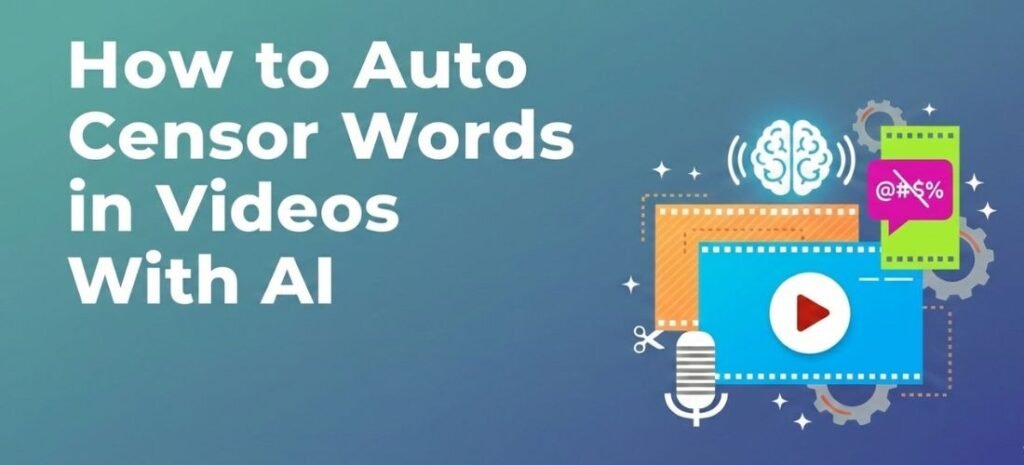
Profanity in videos can quickly become a problem. Swear words can reduce monetization, violate platform policies, and damage your brand’s reputation. Whether you’re producing podcasts, YouTube videos, TikTok clips, online courses, or client content, keeping your audio clean is essential.
Thankfully, modern AI tools now make it easy to auto censor audio, automatically bleep curse words, and clean captions without spending hours editing manually.
In this guide, you’ll learn how AI profanity censoring works, why it matters, and how to use an advanced AI swear word remover to quickly remove offensive language from any video.
What Is Profanity Censoring in Video Editing?
Profanity censoring is the process of detecting and hiding offensive or explicit language in audio and video content. Traditionally, editors had to listen through entire recordings and manually cut or mute every swear word. This approach is slow, expensive, and prone to mistakes.
AI-based profanity censoring automates this process. By analyzing your transcript, the system can instantly identify curse words and apply censorship using:
- Bleep sound effects
- Silent muting
- Volume-reduced censoring
- Caption text masking
With an intelligent AI curse word remover, you can clean an entire video in minutes instead of hours.
Why Auto-Censoring Swear Words Is Important
Censoring profanity is not only about sounding professional, it directly affects your reach, revenue, and audience trust.
Here are the main reasons creators and brands use automatic profanity censoring:
1. Stay Monetizable on YouTube and Other Platforms
YouTube, Facebook, and other platforms often limit ads on videos containing explicit language. Auto-censoring helps protect your monetization and ad revenue.
2. Follow Community Guidelines
TikTok, Instagram Reels, and podcast platforms enforce strict content policies. Automatic censoring reduces the risk of demonetization, removal, or shadow banning.
3. Build a Brand-Safe Image
Agencies, educators, churches, and businesses must maintain a clean and professional image. Just as brands evaluate seo services uk prices to boost visibility, an AI profanity censoring tool ensures your content remains advertiser-friendly and professional.
4. Save Time and Editing Costs
Manual editing can take hours per episode. Using a censor bad words generator powered by AI allows you to scale content production efficiently.
How AI Profanity Censoring Works
Modern profanity-censoring tools use speech recognition and natural language processing to analyze your audio transcript.
Here’s how the process works step by step:
- You upload or import your video or podcast
- The AI transcribes the audio into text
- The system automatically detects swear words and offensive phrases
- You choose how to censor them bleep, mute, or soften
- The captions update instantly with masked text
- You preview and export the clean version
With a single toggle, you can turn on auto censor audio and instantly sanitize your content.
The Best Way to Auto Bleep Curse Words with AI
The easiest way to clean profanity today is by using an AI-powered auto bleep curse words tool.
Instead of cutting audio manually, you can use a smart editor like Choppity to:
- Detect every curse word automatically
- Apply bleep or mute with one click
- Adjust censor strength and timing
- Preview changes in real time
This turns Choppity into a powerful AI swear word remover for creators who want speed, accuracy, and control.
Try Choppity profanity-censoring feature to clean your videos in minutes.
Key Features to Look for in an AI Curse Word Remover
Not all profanity-censoring tools are equal. A professional solution should offer more than just basic bleeping.
Here are the most important features to look for:
Automatic Detection of Swear Words
The AI should accurately detect curse words in fast-paced conversations, slang, and emotional speech.
Flexible Censoring Options
A good AI curse word remover allows you to:
- Use classic bleep sounds
- Mute the audio silently
- Reduce volume instead of full muting
This ensures your edits sound natural and not distracting.
Caption Text Masking
An advanced Choppity censor remover lets you control how censored words appear in captions. You can replace them with:
- Asterisks (****)
- Symbols (#@!%)
- Underscores
- Custom masked formats
This keeps your subtitles compliant and brand-safe.
Real-Time Preview and Editing
You should be able to click any detected word, toggle censoring on or off, and preview the result instantly.
How to Censor Bad Words in Captions Automatically
Many platforms scan captions and subtitles for explicit language. Even if the audio is censored, uncensored captions can still cause issues.
That’s why a modern censor bad words generator also cleans your text.
With Choppity, you can:
- Mask offensive words automatically
- Customize how censored text looks
- Match your brand’s caption style
- Preview everything before exporting
This ensures both your audio and captions are clean and platform-compliant.
Who Should Use AI Profanity Censoring?
Automatic profanity censoring is useful for almost every type of content creator and organization.
Common use cases include:
- Podcast editors and producers
- YouTube creators and monetized channels
- TikTok and Instagram Reels creators
- Marketing agencies and social media teams
- Online course creators and educators
- Churches and religious organizations
- Corporate training and webinars
Anyone who wants professional, brand-safe content can benefit from an AI swear word remover.
Why Choppity Is One of the Best AI Profanity Censoring Tools
Choppity offers a complete profanity censoring workflow designed for speed and accuracy.
With the Choppity swear word remover, you can:
- Instantly auto censor audio with one toggle
- Automatically auto bleep curse words across your entire video
- Choose between bleep, mute, or soft censor
- Control caption masking styles
- Preview and fine-tune every edit in real time
Because Choppity works directly from your transcript, you don’t need complex timelines or manual keyframes.
👉 Try the Choppity censor remover today and keep your content monetizable and brand-safe.
How to Censor Swear Words in a Video Using Choppity (Step-by-Step)
Here’s how easy it is to clean profanity using Choppity:
Step 1: Upload or Import Your Video
Upload your file directly or import a long-form video from YouTube.
Step 2: Turn On Profanity Censoring
Open the curse tab and enable the profanity filter.
Step 3: Choose Your Censoring Style
Select whether you want:
- Classic bleep
- Silent mute
- Volume-adjusted censor
You can also choose how masked words appear in captions.
Step 4: Fine-Tune and Export
Click any word in the transcript to toggle censoring on or off. Preview the result and export your clean video.
Frequently Asked Questions About Profanity Censoring
How do I censor swear words in a video automatically?
Upload your video to an AI profanity censoring tool, enable the filter, and export the cleaned version. No manual editing is required.
Is there an app to bleep out swear words in a video?
Yes. AI tools like Choppity automatically detect and bleep curse words in videos with one click.
Does AI profanity censoring work for YouTube and TikTok?
Yes. Automatic censoring helps keep your content compliant and monetizable across major platforms.
Can I choose which swear words get censored?
Most advanced tools let you toggle specific words on or off and adjust how aggressive the censoring is.
Does Choppity censor curse words automatically?
Yes. Choppity automatically detects and censors swear words using AI transcription and real-time editing.
Final Thoughts: Clean Your Videos Faster with AI Profanity Censoring
Profanity no longer has to slow down your workflow or limit your monetization. With modern AI tools, you can automatically detect, bleep, mute, and mask curse words in minutes.
If you’re looking for a fast, accurate, and easy-to-use solution, Choppity offers one of the best AI curse word remover systems available today. Start using Choppity’s profanity censoring feature and keep your videos clean, compliant, and ready to publish.
 Shaban Ch
  Qasim Bhai